
How long does it take to unlock Samsung Galaxy S23 FE from AT&T?
Professional unlocking for Samsung Samsung Galaxy S23 Fe locked to AT&T in USA. Fast, safe, permanent unlock solution.
Unlock Your Samsung Galaxy S23 Fe
Enter IMEI to get started
Unlocking the Samsung Galaxy S23 FE from AT&T in the United States
If you own a Samsung Galaxy S23 FE that’s currently locked to AT&T, you can free it for use with any compatible carrier – whether you’re traveling abroad, switching providers, or simply want the flexibility of a SIM‑free device. The process involves confirming eligibility, requesting an unlock from AT&T (or using a reputable third‑party service), and then applying the unlock code or method. Below you’ll find a comprehensive step‑by‑step guide, model‑specific considerations, troubleshooting tips, safety advice, and a comparison with alternative unlock methods.
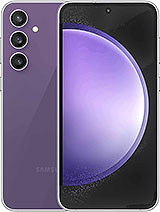
Why Unlock Your Samsung Galaxy S23 FE?
- Travel freedom: Use local SIM cards abroad to avoid roaming charges.
- Carrier switching: Move to a plan that better fits your budget or data needs.
- Resale value: Unlocked phones command higher resale prices.
- Device longevity: Keep using the phone even if AT&T discontinues service.
Eligibility Requirements for AT&T Unlocks
AT&T follows a strict set of criteria before it will release an unlock code. Your Samsung Galaxy S23 FE must meet all of the following:
- Be fully paid off or under a qualifying installment plan.
- Have been active on the AT&T network for at least 60 days.
- Not be reported as lost, stolen, or involved in fraud.
- Run a supported software version (usually the latest OTA update).
- Not be under an active contract that restricts unlocking.
If any of these conditions are not met, AT&T will deny the unlock request until they are satisfied.
Model‑Specific Unlock Limitations
The Samsung Galaxy S23 FE ships with a bootloader that AT&T can re‑lock after a major software update. While most AT&T‑branded units accept a standard numeric unlock code, certain firmware builds embed a carrier‑specific flag that disables the code until the device is updated to the latest official OTA (over‑the‑air) release. If your phone is running an older build, such as Android 13 build 13.0.0.0, you may need to install the most recent update before the unlock code will be accepted.
Additionally, the S23 FE uses a dual‑SIM configuration (one physical nano‑SIM slot and one eSIM). Unlocking the physical slot does not automatically unlock the eSIM profile, which must be cleared or re‑provisioned after the device is unlocked.
How to Request an Unlock Directly from AT&T
AT&T provides a straightforward online portal for unlock requests. Follow these steps:
- Log in to your AT&T account on a desktop or mobile browser.
- Navigate to Device Unlocks under the Account Settings menu.
- Enter your Samsung Galaxy S23 FE IMEI number. (Dial
*#06#on the phone to view it.) - Confirm that the device meets all eligibility requirements.
- Submit the request. AT&T typically responds within 1–3 business days.
- When approved, you will receive an unlock code via email or SMS along with detailed instructions.
Important: Do not attempt to enter the unlock code before the device has completed its latest OTA update, as the code will be rejected.
Using Third‑Party Unlock Services
If you prefer a faster solution or your device does not meet AT&T’s criteria, reputable third‑party services can provide an unlock code for a fee. When selecting a provider, consider the following:
| Criteria | What to Look For |
|---|---|
| Customer Reviews | Ratings above 4.5 stars on Trustpilot or SiteJabber. |
| Refund Policy | At least a 30‑day money‑back guarantee if the code fails. |
| Support Availability | Live chat or phone support during US business hours. |
| Technical Compatibility | Specifically lists support for Samsung Galaxy S23 FE (model SM‑S911B/SM‑S916B). |
After purchase, the provider will usually send you an unlock code within minutes. You then follow the same entry procedure as with an AT&T‑issued code.
Step‑by‑Step Guide to Unlock the Samsung Galaxy S23 FE
Whether you received the code from AT&T or a third‑party, the unlocking process is identical:
- Back up your data. Use Samsung Cloud, Google Drive, or a PC backup to protect contacts, photos, and apps.
- Insert a non‑AT&T SIM card. Power off the phone, place the new nano‑SIM in the slot, and power on.
- Connect to Wi‑Fi. A stable internet connection is required for the unlock server to verify the code.
- Open the dialer and enter the unlock code. Type
*#*#197328640#*#*to open the service menu, then select Unlock Network and input the 15‑digit code. - Reboot the device. After the confirmation message, turn the phone off, remove the SIM, and restart.
- Test with another carrier. Insert a SIM from a different network (e.g., T‑Mobile, Verizon) and verify that you can make calls and use data.
If the device displays “Unlock Failed” or “Invalid Code,” repeat the steps after ensuring the latest OTA update is installed.
Technical Troubleshooting
Unlock Code Rejected After OTA Update
Sometimes an OTA update resets the carrier flag, causing previously valid codes to be rejected. To resolve:
- Factory reset the phone (Settings → General Management → Reset → Factory data reset).
- After the reset, set up the device without inserting any SIM.
- Reconnect to Wi‑Fi and apply the unlock code again.
eSIM Remains Locked
After unlocking the physical SIM slot, the eSIM profile may still show as “locked.” To clear it:
- Go to Settings → Connections → SIM card manager.
- Select the eSIM profile and choose Delete.
- Restart the phone and add a new eSIM from your chosen carrier.
Device Still Shows AT&T Branding
If the lock icon persists, verify that the unlock code was entered correctly (no extra spaces). If the problem continues, contact AT&T support with your IMEI and a copy of the unlock confirmation email.
Comparison with Other Unlock Methods
There are three primary ways to unlock a Samsung Galaxy S23 FE:
| Method | Cost | Timeframe | Reliability | Risk to Warranty |
|---|---|---|---|---|
| AT&T Official Unlock | Free (if eligible) | 1–3 business days | Very high | None |
| Reputable Third‑Party Service | $15‑$30 | Minutes to a few hours | High (depends on provider) | None if code only |
| Root & Flash Custom Firmware | Free (but requires tools) | Several hours | Variable | Voids warranty & may brick device |
For most users, the AT&T official route or a trusted third‑party code offers the best balance of safety, cost, and speed.
Safety, Warranty, and Legal Considerations
- Warranty: Using an official unlock code does not void Samsung’s limited warranty. However, rooting or flashing custom ROMs will.
- Legal: In the United States, it is legal to unlock a phone you own, provided you have fulfilled any contract obligations.
- Network Compatibility: After unlocking, verify that the target carrier’s bands (e.g., Verizon’s 5G n71) are supported by the S23 FE. The device’s spec sheet lists supported LTE and 5G bands for AT&T; most are shared with other major US carriers.
- Data Security: Only enter unlock codes on the official Samsung/AT&T service menus. Avoid third‑party apps that claim to “auto‑unlock” via root access.
Post‑Unlock Checklist
- Confirm that all carrier settings have updated (Settings → About phone → Software information).
- Run a network test app (e.g., OpenSignal) to verify signal strength on the new carrier.
- Check that visual voicemail, Wi‑Fi calling, and VoLTE are functional.
- Update the device to the latest Samsung One UI version to ensure optimal performance.
Frequently Asked Questions (FAQs)
Below are detailed answers to the most common queries about unlocking the Samsung Galaxy S23 FE from AT&T.
1. How long does the AT&T unlock process usually take?
AT&T typically processes unlock requests within 1–3 business days after confirming eligibility. In rare cases, especially during high‑volume periods, it may take up to 7 days.
2. Can I unlock my Samsung Galaxy S23 FE while it’s still under an installment plan?
Yes, as long as the device is fully paid off or the installment plan is considered “completed” by AT&T. If you’re still making payments, AT&T will deny the request until the balance is cleared.
3. Will unlocking void my Samsung warranty?
No. Using an official AT&T unlock code or a reputable third‑party numeric code does not affect the manufacturer’s warranty. Only actions that involve rooting, flashing custom firmware, or modifying the bootloader can void the warranty.
4. My unlock code works on the physical SIM slot but not on the eSIM. What should I do?
After unlocking the physical slot, go to Settings → Connections → SIM card manager, delete the existing eSIM profile, and provision a new eSIM from your new carrier. This refreshes the carrier lock status for the eSIM.
5. Is it safe to use third‑party unlocking services?
It is safe when you choose a service with strong customer reviews, a clear refund policy, and a transparent process that only provides a numeric unlock code. Avoid services that require you to install unknown software on the phone.
6. Can I unlock my Samsung Galaxy S23 FE if it’s running an older Android version?
Yes, but you must first update the device to the latest OTA release. Older firmware may contain a carrier flag that prevents the unlock code from being accepted.
7. Will my phone work on all US carriers after unlocking?
The S23 FE supports a wide range of LTE and 5G bands used by major US carriers (AT&T, Verizon, T‑Mobile, Sprint). However, you should verify the specific band list for the carrier you plan to use, especially for 5G mmWave support, which may be limited on some models.
8. What should I do if the unlock code is rejected multiple times?
First, double‑check that you entered the 15‑digit code correctly. Next, ensure the phone is running the latest software. If the problem persists, contact AT&T support with your IMEI and the unlock confirmation email for further assistance.
9. Do I need to reset my phone after unlocking?
A factory reset is not mandatory, but it can resolve issues where the carrier flag persists after an OTA update. Back up your data before performing a reset.
10. How can I find my Samsung Galaxy S23 FE IMEI number?
Dial *#06# on the phone’s keypad, or go to Settings → About phone → Status → IMEI information.
Unlocking your Samsung Galaxy S23 FE from AT&T opens a world of carrier flexibility while preserving the premium performance of Samsung’s flagship‑class device. Follow the steps above, stay within the eligibility guidelines, and you’ll be connected to your new network in no time.
Not sure if this phone is eligible?
Use the free USA carrier unlock eligibility checker before ordering. It helps pre-screen payment status, account standing, service age, and lost or stolen reports.