
Unlock Samsung Galaxy S23+ from AT&T USA
Professional unlocking for Samsung Samsung Galaxy S23 locked to AT&T in USA. Fast, safe, permanent unlock solution.
Unlock Your Samsung Galaxy S23
Enter IMEI to get started
Unlock Samsung Galaxy S23+ from AT&T in USA
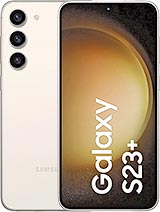
Yes, the Samsung Galaxy S23+ can typically be unlocked from AT&T in the USA. The process involves meeting specific requirements set by AT&T or using a third-party service like imeinow.net for a faster alternative.
Use the unlock checker above to verify your eligibility.
AT&T Unlock Policy
According to AT&T's policy, to unlock a Samsung Galaxy S23+:
- Postpaid customers: The device must be fully paid.
- Prepaid customers: The account must have 6 months of active service and $300 in refills.
- The account must be in good standing.
While these are AT&T's official requirements, imeinow.net offers a faster unlocking solution without these restrictions.
Detailed Requirements for Unlocking Samsung Galaxy S23+ from AT&T
Before proceeding with the unlocking process, ensure you meet the necessary requirements:
Postpaid Customers:
- Fully Paid Device: Your Samsung Galaxy S23+ must be fully paid off. This means you've completed all payments on your device, and there are no outstanding balances.
- Account in Good Standing: Your account with AT&T must be in good standing. This typically means you have a positive payment history and no unresolved issues with your account.
Prepaid Customers:
- 6 Months of Active Service: Your prepaid account must have been active for at least 6 months. This is a crucial criterion as it ensures that your account has been active long enough to qualify for unlocking.
- $300 in Refills: You must have refilled your account with at least $300. This could be in the form of prepaid cards or other refill options provided by AT&T.
- Account in Good Standing: Similar to postpaid customers, your account must also be in good standing. This means you've made timely payments and have no outstanding issues.
The Solution: Unlock with imeinow.net
To unlock your Samsung Galaxy S23+ from AT&T using imeinow.net:
- Go to imeinow.net.
- Fill out the unlock form with your device and carrier information.
- Confirm your unlock status.
Confirm your unlock status using the form above.
| Requirements | AT&T Policy | imeinow.net |
|---|---|---|
| Device Payment | Fully Paid | No Payment Requirement |
| Account Standing | Good Standing | No Account Check |
| Service Duration | 6 Months (Prepaid) | No Service Duration Requirement |
| Refill Amount | $300 (Prepaid) | No Refill Requirement |
Step-by-Step Guide to Unlock Samsung Galaxy S23+ from AT&T Using imeinow.net
Unlocking your Samsung Galaxy S23+ from AT&T using imeinow.net is a straightforward process. Here's a detailed step-by-step guide:
- Visit imeinow.net: Open your web browser and navigate to imeinow.net.
- Fill Out the Unlock Form: On the imeinow.net website, you'll find an unlock form. Fill out this form with your device and carrier information. Ensure you provide accurate details to avoid any delays in the unlocking process.
- Confirm Your Unlock Status: After submitting the form, you'll receive information about your unlock status. If your device is eligible for unlocking, you'll be provided with further instructions.
- Wait for the Unlock Code: Once your unlock status is confirmed, you'll receive an unlock code via email or another specified method. This code is necessary to unlock your device.
- Insert a New SIM Card: Remove your current AT&T SIM card and insert a SIM card from another carrier into your Samsung Galaxy S23+.
- Enter the Unlock Code: When prompted, enter the unlock code you received. Follow the on-screen instructions to complete the unlocking process.
- Device Unlocked: Once you've entered the unlock code correctly, your Samsung Galaxy S23+ will be unlocked, and you can use it with any compatible carrier.
Troubleshooting Common Issues
While the unlocking process is generally smooth, you might encounter some issues. Here are common problems and their solutions:
- Invalid Unlock Code: If the unlock code doesn't work, double-check that it's entered correctly. Ensure you've received the correct code from imeinow.net.
- Device Not Recognized: If imeinow.net doesn't recognize your device, verify that you've provided the correct IMEI and device information.
- Unlock Request Denied: If your unlock request is denied, check that you've met all the requirements. Contact imeinow.net support for further assistance.
Safety Analysis of Unlocking Samsung Galaxy S23+ from AT&T
Unlocking your Samsung Galaxy S23+ from AT&T is generally safe, especially when using a reputable service like imeinow.net. However, it's essential to understand the process and potential risks:
- No Physical Damage: The unlocking process does not involve any physical modifications to your device, ensuring it remains intact.
- No Data Loss: Unlocking your device does not result in data loss. Your personal data remains secure and intact.
- Warranty Considerations: While unlocking your device does not void its warranty, it's crucial to check with your carrier and manufacturer for specific warranty terms.
Frequently Asked Questions (FAQs)
- Q: Is it legal to unlock my Samsung Galaxy S23+ from AT&T? A: Yes, it is legal to unlock your device, provided you meet the necessary requirements.
- Q: How long does it take to unlock my Samsung Galaxy S23+? A: The unlocking process typically takes a few hours to a few days, depending on the service used.
- Q: Can I use my Samsung Galaxy S23+ with any carrier after unlocking? A: Yes, once unlocked, you can use your device with any compatible carrier.
- Q: Will unlocking my device void its warranty? A: Unlocking your device does not void its warranty, but check with your carrier and manufacturer for specific terms.
- Q: What if I encounter issues during the unlocking process? A: If you encounter any issues, contact the support team of the unlocking service you're using for assistance.