
Unlock Samsung Galaxy Z Flip6 from Metropcs: Switch Carriers Easily
Professional unlocking for Samsung Samsung Galaxy Z Flip6 locked to Metropcs in USA. Fast, safe, permanent unlock solution.
Unlock Your Samsung Galaxy Z Flip6
Enter IMEI to get started
Break Free from Metro by T-Mobile: Unlock Your Samsung Galaxy Z Flip 6
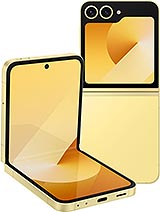
The Samsung Galaxy Z Flip 6 is a powerhouse device, featuring the latest Snapdragon 8 Gen 3 processor. However, if you bought it from Metro by T-Mobile (formerly MetroPCS), you are likely discovering the catch: strict carrier locks. This limits your freedom to switch to AT&T for better coverage, prevents you from using local SIMs abroad, and locks you into a specific plan.
If you don't want to wait a full year to use the phone you own, check your instant unlock eligibility using the form above.
Metro by T-Mobile Unlock Policy: The 365-Day Trap
Metro has one of the strictest unlocking policies in the US prepaid market. While postpaid carriers unlock after 40-60 days, Metro requires:
- 365 Days of Service: The device must be active on the Metro network for one full year before they will unlock it for free.
- Continuous Service: Gaps in payment can reset the timer.
- The Solution: If you cannot wait 12 months, third-party services like imeinow.net are the only way to bypass this restriction legally and immediately.
Technical Specs: Why Unlock the Metro Model?
The Metro version of the Z Flip 6 (SM-F741U1) is optimized for the T-Mobile network, specifically Band 71 (600 MHz) and 5G Band n41. However, the hardware is "Global Ready."
Unlocking the device activates the dormant antennas for other networks:
- AT&T & Cricket: Unlocking enables Band 12 and Band 17, essential for coverage in rural areas where Metro signals drop.
- Verizon Support: Access to LTE Band 13 and 5G DSS.
- Global Travel: Full support for Band 3 (1800 MHz) and Band 20 (800 MHz), the standard for Europe and Asia.
Metro Locked vs. Unlocked Comparison
| Feature | Locked to Metro | Unlocked via IMEINow |
|---|---|---|
| Wait Time | 365 Days (1 Year) | Instant / 24 Hours |
| Network Choice | Metro / T-Mobile Only | AT&T, Verizon, Cricket, Mint, Global |
| Resale Value | 📉 Low (Locked to Prepaid) | 📈 High (Unlocked "Clean" Version) |
Before You Unlock: The Pre-Checklist
To ensure a smooth unlock, verify these two points before submitting your IMEI:
1. "Block" vs "Network Lock"
- Network Lock: The standard 365-day restriction. We can remove this easily.
- Blacklist (Bad ESN): If the phone was reported lost or stolen, Metro blacklists the IMEI. We can unlock these, but they will only work internationally (outside the USA). Be aware of this before ordering.
2. Software Update
Go to Settings > Software Update. Ensure your Z Flip 6 is running the latest One UI version. The "Device Unlock" app mechanism relies on up-to-date firmware to communicate with the whitelist server.
How to Unlock Z Flip 6: The 2 Methods
Crucial Note: Metro Samsung devices do NOT use unlock codes. Do not buy a "code" service. You need a "Remote Whitelist".
Method 1: The Official Wait (Free)
If you are willing to stay with Metro for a year:
- Keep your service active for 365 consecutive days.
- On Day 366, the phone should automatically qualify.
- Go to Settings > Connections > More Connection Settings > Network Unlock.
- Select "Permanent Unlock".
Method 2: The IMEINow Whitelist (Instant)
If you want to switch carriers today (bypassing the 365-day rule):
- Step 1: Get IMEI: Dial *#06# on your keypad.
- Step 2: Submit Request: Enter your IMEI in the form at the top of this page.
- Step 3: Server Processing: We register your IMEI as "Eligible" in the Metro/Samsung database.
- Step 4: Finalize: We email you. You simply go to the Settings Menu, tap "Permanent Unlock", and it will say "Approved".
After Unlocking: Setting Up Data (APN)
If you switch to a carrier like Cricket or AT&T, calls might work but data might fail initially. You must update the Access Point Name (APN):
- Insert the new SIM card.
- Go to Settings > Connections > Mobile Networks > Access Point Names.
- Tap Add.
- Enter the settings for your new carrier (e.g., Name: "Cricket", APN: "ndo").
- Tap the three dots > Save and select the new APN.
Safety & Warranty Analysis
Unlocking via the official "Device Unlock" mechanism is the safest method available.
- Warranty Safe: Since we use the official Android settings menu to unlock the phone, your Samsung warranty remains 100% valid.
- No Rooting: We do not require cables or technical software. It is done over-the-air.
Frequently Asked Questions (FAQs)
-
Q: Can I unlock my Metro Z Flip 6 before the 365 days are up?
A: Metro will refuse, but yes, imeinow.net can whitelist your device immediately. This allows you to skip the 1-year waiting period. -
Q: Why is there no place to enter a code?
A: Metro by T-Mobile removed code entry on all newer Samsung phones. The unlock is digital. Our service authorizes the "Permanent Unlock" button in your settings to work. -
Q: Can I use the phone on Verizon after unlocking?
A: Yes. The Z Flip 6 hardware supports Verizon bands. Once unlocked, just insert a Verizon SIM (or US Mobile/Visible SIM) and configure the APN. -
Q: Is it safe to use imeinow.net?
A: Yes. We use secure, official methods to process the whitelist request, ensuring no data loss and full warranty protection.
Not sure if this phone is eligible?
Use the free USA carrier unlock eligibility checker before ordering. It helps pre-screen payment status, account standing, service age, and lost or stolen reports.