
Unlock T-Mobile Samsung Galaxy Z Flip6 in USA
Professional unlocking for Samsung Samsung Galaxy Z Flip6 locked to T-Mobile in USA. Fast, safe, permanent unlock solution.
Unlock Your Samsung Galaxy Z Flip6
Enter IMEI to get started
Unlock Samsung Galaxy Z Flip 6 from T-Mobile: Boost Resale Value
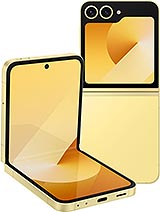
For resellers and smart upgraders, the Samsung Galaxy Z Flip 6 is a high-value asset. Powered by the Snapdragon 8 Gen 3, it is in high demand globally. However, a "T-Mobile Locked" status drastically reduces your potential buyer pool and cuts the device's market value by up to 30%. Whether you want to sell the device on Swappa/eBay or gift it to someone abroad, the carrier lock is a financial liability.
Don't let T-Mobile's restrictions kill your profit margin. Check your unlock eligibility instantly using our direct IMEI checker above.
T-Mobile's Official Policy (The Reseller's Hurdle)
T-Mobile's policy is designed to keep devices on their network. For a reseller or second-hand buyer, these rules are often impossible to meet:
- The 40-Day Rule: The specific device must have been active on the T-Mobile network for at least 40 consecutive days.
- Financial Lock: The EIP (Equipment Installment Plan) must be $0. If you bought the phone used and the original owner stopped paying, T-Mobile will never unlock it for free.
- Account Status: The original account must remain in good standing.
Technical Specs: Why the Z Flip 6 Needs Unlocking
The T-Mobile Z Flip 6 (SM-F741U) is optimized for 5G Band n71 (Extended Range) and Band n41 (Ultra Capacity). While these provide great speed in the US, they are not the standard globally.
Unlocking via imeinow.net releases the modem's full potential:
- Global Compatibility: Enables Band 3 (1800 MHz) and Band 20 (800 MHz), making the phone usable in Europe, Asia, and South America.
- Domestic Flexibility: Allows the phone to work on AT&T and Verizon networks (essential for US buyers).
- Dual-SIM Value: Unlocked devices can use a physical SIM and an eSIM simultaneously from different carriers, a top selling point for travelers.
Locked vs. Unlocked: A Reseller's Guide
| Factor | Locked to T-Mobile | Unlocked via IMEINow |
|---|---|---|
| Market Value | 📉 Low (Restricted Buyer Pool) | 📈 High (+20-30% Value) |
| Sellability | Hard (US T-Mobile users only) | Easy (Global Buyers) |
| Financed Status | 🔒 Stuck as "Bad ESN" or Locked | 🔓 Unrestricted Network Use* |
*Note: Our service unlocks the network capability, allowing it to be sold as "Network Unlocked" even if the original financing is active.
Before You Unlock: The Pre-Checklist
Before submitting your IMEI, verify these two points to ensure a smooth process:
1. Verify "Clean" vs "Blocked" IMEI
- Financed/Unpaid Bills: We CAN unlock these easily.
- Lost/Stolen (Blacklisted): T-Mobile blocks these devices from all US networks. We can unlock them, but they will only work internationally. Be transparent with your buyer if the phone is blacklisted.
2. Check Software Version
Ensure the phone is updated to the latest One UI version. Go to Settings > Software Update. Outdated firmware can sometimes glitch the "Permanent Unlock" button.
How to Unlock Z Flip 6: The 2 Methods
Important: The T-Mobile Z Flip 6 does NOT use an unlock code. Do not pay for a "code" service; you need a "Remote Whitelist".
Method 1: The Official Settings Menu (Free)
If you are the original owner and met the 40-day/paid-off requirements:
- Connect to Wi-Fi.
- Go to Settings > Connections > More Connection Settings.
- Tap Network Unlock > Permanent Unlock.
- If it works, great. If it says "Unlock Failed: Reason Code 255" or "Not Eligible", you need Method 2.
Method 2: The IMEINow Whitelist (For Resellers/Financed)
If you are reselling the device or it's still under finance, we can force the unlock server-side:
- Step 1: Get IMEI: Dial *#06# on the screen.
- Step 2: Order Service: Submit the IMEI in the form above.
- Step 3: Server Update: We register the IMEI as "Eligible" in the manufacturer database.
- Step 4: Finalize: We email you. You simply go back to the Settings menu, tap "Permanent Unlock", and it will approve instantly.
After Unlocking: APN Setup (Crucial for Buyers)
If you sell the phone, the new owner might complain that "data isn't working." This is because the T-Mobile APN settings are still default.
Instructions to give your buyer:
- Insert the new SIM.
- Go to Settings > Connections > Mobile Networks > Access Point Names.
- Tap Add and enter the new carrier's APN settings (e.g., "wholesale" for MVNOs).
- Save and Restart.
Safety & Warranty Analysis
As a reseller, reputation is everything.
- Official Method: We use the native Android unlock menu. We do not root the phone or flash custom ROMs.
- Knox Intact: Samsung's Knox security layer remains 0x0 (Valid). This means features like Samsung Pay and Secure Folder will continue to work perfectly for your buyer.
Frequently Asked Questions (FAQs)
-
Q: Can I unlock a T-Mobile Z Flip 6 that is still being financed?
A: T-Mobile won't do it, but yes, imeinow.net can whitelist financed devices. This allows the phone to be used on other carriers while the original owner pays the bill. -
Q: Why is there no place to enter a code?
A: T-Mobile removed code entry on newer Samsung flagships. The unlock is digital. Our service authorizes the "Permanent Unlock" button in settings to work. -
Q: Will unlocking void the warranty for the new buyer?
A: No. Since we use the official unlock mechanism built into the phone, the manufacturer warranty remains fully valid. -
Q: How long does the whitelist take?
A: It is a server-side process, typically completed within 1 to 24 hours.
Not sure if this phone is eligible?
Use the free USA carrier unlock eligibility checker before ordering. It helps pre-screen payment status, account standing, service age, and lost or stolen reports.