
Unlock Samsung Galaxy Z Flip6 from Verizon in USA | IMEI Now
Professional unlocking for Samsung Samsung Galaxy Z Flip6 locked to Verizon in USA. Fast, safe, permanent unlock solution.
Unlock Your Samsung Galaxy Z Flip6
Enter IMEI to get started
Unlock Samsung Galaxy Z Flip6 from Verizon: Skip the 60-Day Lock
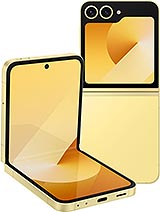
The Samsung Galaxy Z Flip6 is a masterpiece of engineering, featuring the Snapdragon 8 Gen 3 processor and Verizon's mmWave 5G capabilities. However, using it on Verizon comes with a strict limitation: the 60-day mandatory lock. Whether you bought the device second-hand, received it as a gift, or need to travel internationally before the waiting period is over, being locked to one network restricts the phone's true potential.
If you need to bypass the 60-day wait immediately, check your eligibility instantly using our direct IMEI checker above.
Verizon's 60-Day Lock Policy: How It Works
Verizon is unique among US carriers. They do not usually lock phones based on "contract status" or "unpaid bills" initially. Instead, they use a strict time-based lock mechanism:
- Postpaid & Prepaid: Devices are hard-locked to the Verizon network for exactly 60 days after activation.
- The Catch: If you are not the original owner, or if the account was suspended for non-payment during those 60 days, the automatic unlock signal will never arrive, leaving the device locked permanently.
- Military Exception: Only deployed military personnel can request an early unlock officially. Everyone else must wait or use a third-party service.
Technical Specs: Why Unlock the Verizon Model?
The Verizon version of the Z Flip6 (SM-F741U) includes specific hardware for mmWave 5G (Ultra Wideband), specifically bands n260 and n261. While incredibly fast in US cities, these bands are largely useless in Europe or Asia.
Unlocking the device via imeinow.net activates the global GSM bands hidden inside the modem:
- Global LTE: Access Bands 3, 7, and 20 (Essential for connectivity in UK, Germany, and Australia).
- Dual-SIM Flexibility: Use your Verizon number for calls via WiFi-Calling while using a cheap local eSIM for data abroad.
- Competitor Networks: Full compatibility with T-Mobile's 5G UC (Ultra Capacity) and AT&T's network.
Verizon Locked vs. Unlocked Comparison
| Feature | Locked (Verizon Status) | Unlocked (IMEINow Status) |
|---|---|---|
| International Data | Expensive "TravelPass" ($10/day) | Local SIMs/eSIMs ($5-15/month) |
| Waiting Period | Fixed 60 Days (Mandatory) | Instant / Same Day |
| Financed Devices | Locked until Day 60 | Unlocked immediately* |
*Note: Unlocking enables global network use but does not cancel your financing agreement with Verizon.
Before You Start: The Pre-Unlock Checklist
To ensure a smooth unlocking process, please verify these two critical points before submitting your IMEI. This prevents delays and ensures your device is actually capable of being unlocked.
1. Check for "Blacklist" Status
There is a difference between a "Network Lock" and a "Blacklist".
- Network Lock: The standard carrier restriction. We can fix this easily.
- Blacklist (Bad ESN): If the phone was reported lost or stolen to Verizon, it is blacklisted. While we can often unlock these for international use, they will likely remain blocked on US carriers. Please use our "Blacklist Checker" if you bought the phone used.
2. Update Your Software
Samsung often patches connectivity bugs in One UI updates. Before unlocking, go to Settings > Software Update > Download and Install. Having the latest baseband version ensures the remote whitelist command is received correctly by the phone.
How to Unlock Your Z Flip6: The 2 Options
Option 1: The "Auto-Unlock" (Free)
If you are the original owner and have 60 days to spare:
- Keep the service active and paid for 60 consecutive days.
- On Day 61, the device should automatically update its policy over-the-air.
- Restart the phone. If the "SIM Not Supported" message is gone, it worked.
Option 2: The IMEINow Remote Service (Instant)
If you cannot wait 60 days, bought the phone used, or the auto-unlock failed:
- Step 1: Get IMEI: Dial *#06# on your phone.
- Step 2: Order Service: Submit your IMEI in the form at the top of this page.
- Step 3: Remote Whitelist: We force the unlock status in the manufacturer's database.
- Step 4: Done: We email you the confirmation. Just restart your phone with a new SIM card, and it will work immediately. No code typing required.
After Unlocking: Setting Up Data (APN)
Once your Verizon Z Flip6 is unlocked, you might notice that calls work, but you have no 5G/4G data connection. This is common because the phone is still trying to use Verizon's internet settings.
You must manually configure the Access Point Name (APN) for your new carrier:
- Go to Settings > Connections > Mobile Networks.
- Select Access Point Names.
- Tap Add in the top corner.
- Enter the settings for your new carrier (e.g., for T-Mobile, name it "T-Mobile" and set APN to "fast.t-mobile.com").
- Tap the three dots and Save.
- Select the new APN and restart the phone.
Safety & Warranty Analysis
Unlocking your device via IMEINow is legal and safe.
- No Physical Damage: We do not need your phone physically. It is done remotely.
- Warranty Safe: It does not void your Samsung warranty as it does not require "rooting" or hacking the software.
Frequently Asked Questions (FAQs)
-
Q: Can I unlock my Verizon Z Flip6 if it is still under contract/financed?
A: Verizon will not help you until day 60, but with imeinow.net, the answer is YES. We can unlock financed devices immediately so you can use them with other carriers, regardless of payment status. -
Q: How long does it take?
A: Verizon remote unlocks are typically very fast, usually processing within 1 to 12 hours. -
Q: Will unlocking void my warranty?
A: No. Unlocking is a standard procedure and does not affect the hardware warranty. -
Q: Is it safe to use imeinow.net?
A: Yes. We use official methods to whitelist your IMEI, ensuring a permanent and safe unlock without data loss.
Not sure if this phone is eligible?
Use the free USA carrier unlock eligibility checker before ordering. It helps pre-screen payment status, account standing, service age, and lost or stolen reports.